The Complete LinkedIn Multi-Channel Campaign Playbook: Master the 12 Sequence Steps for Enterprise Outreach
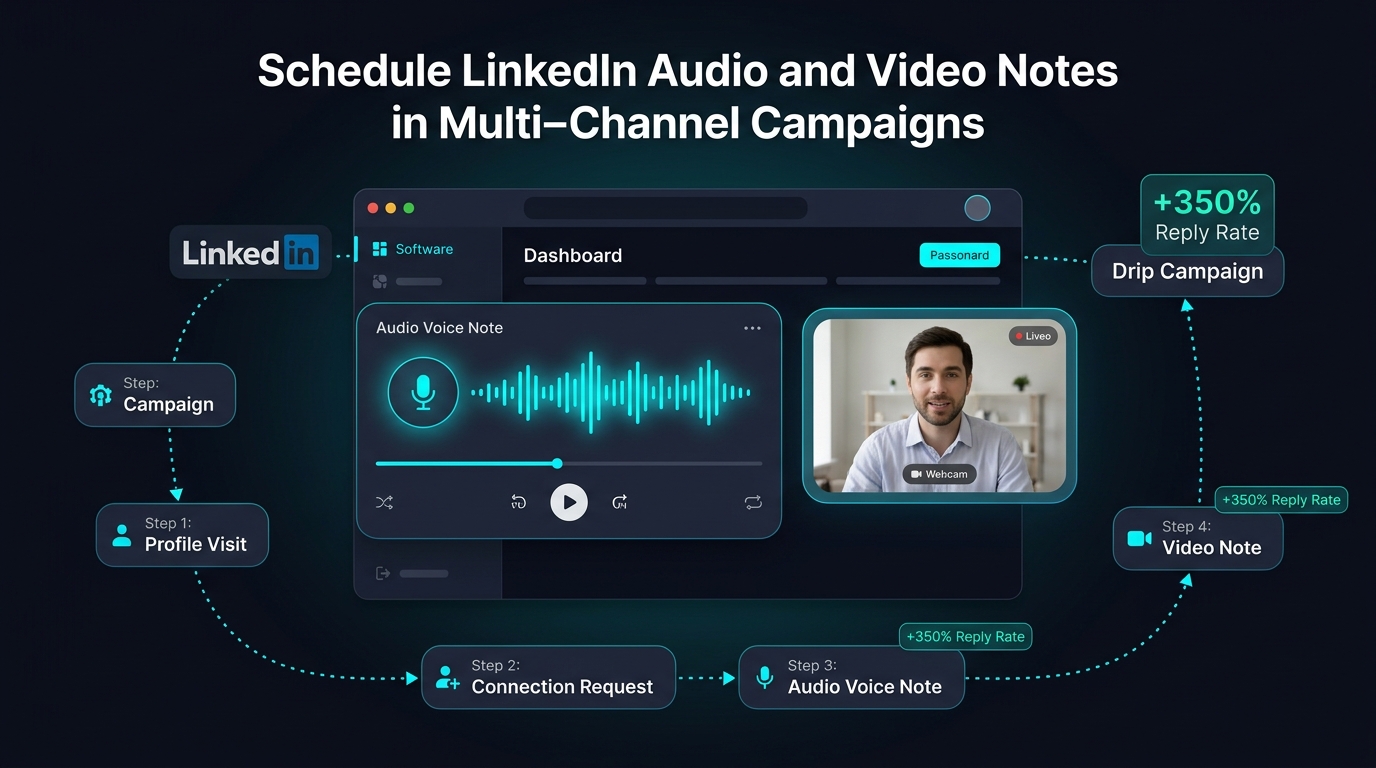
Single-channel LinkedIn outreach is dead. High-value B2B decision-makers now require between 7 to 12 meaningful brand touchpoints across multiple interaction surfaces before agreeing to a sales meeting. In this playbook, discover what true Multi-Channel Orchestration actually means: how to blend soft social signals (profile visits, post likes, AI comments, endorsements), targeted outreach (personalized connection invites, direct messages, Free & Premium InMails), omnichannel corporate email, and automated CRM webhook streaming into one high-converting cadence.
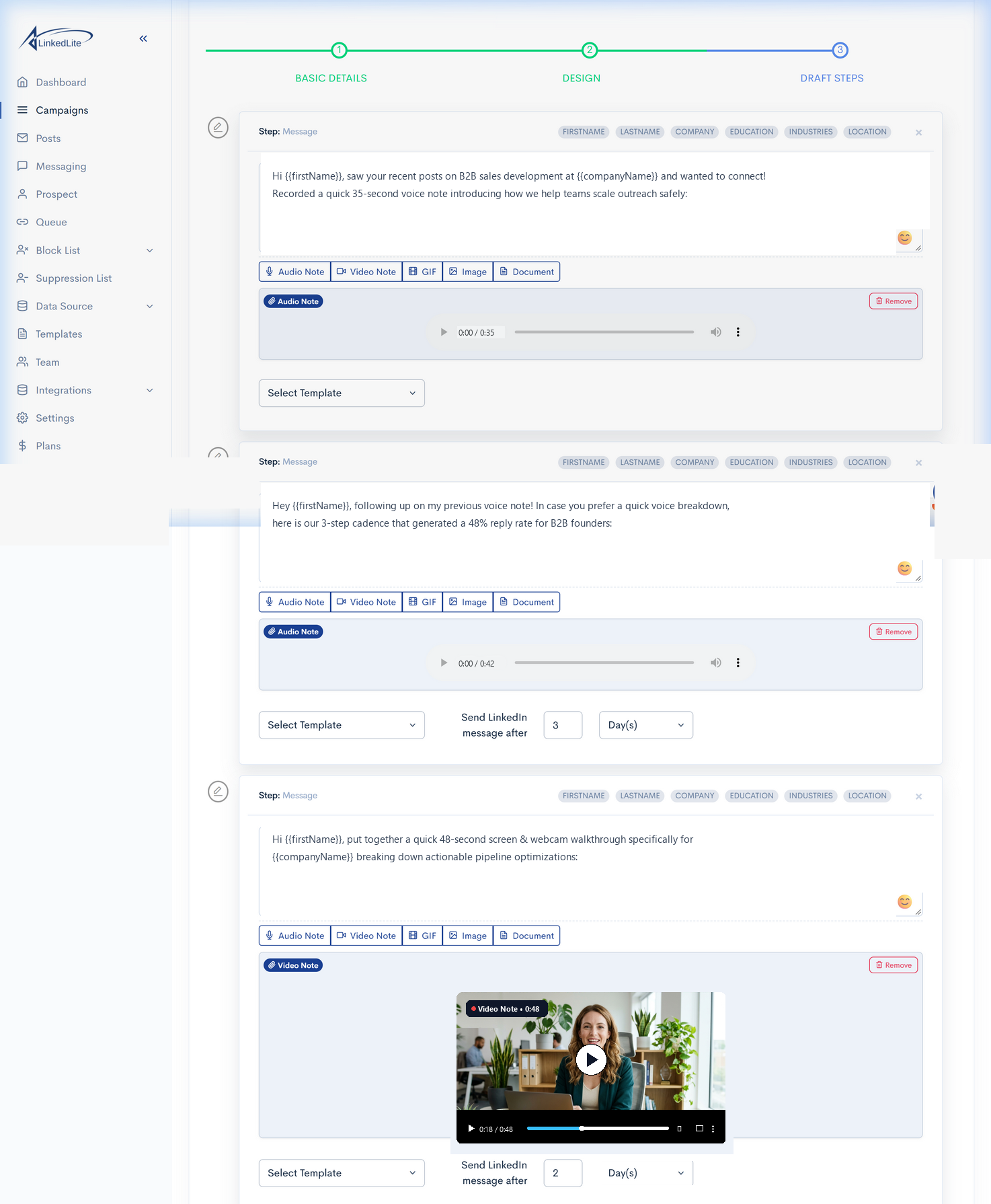
Figure 1: LinkedLite Campaign Sequence Builder—building automated multi-channel sequences with intelligent timing delays, customized follow-up actions, and automated CRM pipeline webhooks.
Combine social warmup, InMails, DMs, emails, and webhooks in one workflow.
Multi-touch cadences dramatically outperform single-channel copy-paste blasts.
Pre-warmed prospects accept invitations at more than double the industry average.
Safe humanized micro-delays, auto-withdrawal, and dedicated residential proxies.
1. What Does "Multi-Channel" Really Mean in B2B Prospecting?
Many sales tools claim to be "multi-channel" simply because they let you send an email after a LinkedIn message. But modern B2B buyers don't operate in rigid silos. They browse their LinkedIn feed, check who visited their profile, read comments under their posts, check their company inbox, and review InMails on their phone.
True Multi-Channel Prospecting is the deliberate orchestration of multiple interaction vectors that work in harmony across the buyer journey:
1. Social Warmup & Familiarity Signals
Before pitching, you trigger subtle engagement signals—visiting their profile, liking recent posts, posting AI-powered insightful comments, and endorsing skills. By the time your connection invite arrives, your name and face are already familiar.
2. Multi-Vector Direct Outreach
Instead of relying only on connection invites (capped by LinkedIn's weekly limits), you combine 1st-degree DMs, Free InMails (to Open Profiles with zero credit cost), and targeted Premium InMails to reach key decision-makers regardless of connection status.
3. Omnichannel Corporate Email
When high-value prospects aren't daily LinkedIn users, LinkedLite extracts and verifies their business email address to deliver coordinated email touchpoints that mirror your conversation cadence.
4. Revenue & Safety Automation
Real-time webhooks automatically stream prospect responses and deal updates directly into your CRM (HubSpot, GoHighLevel, Pipedrive), while automated withdrawal clears stale invites to protect account health.
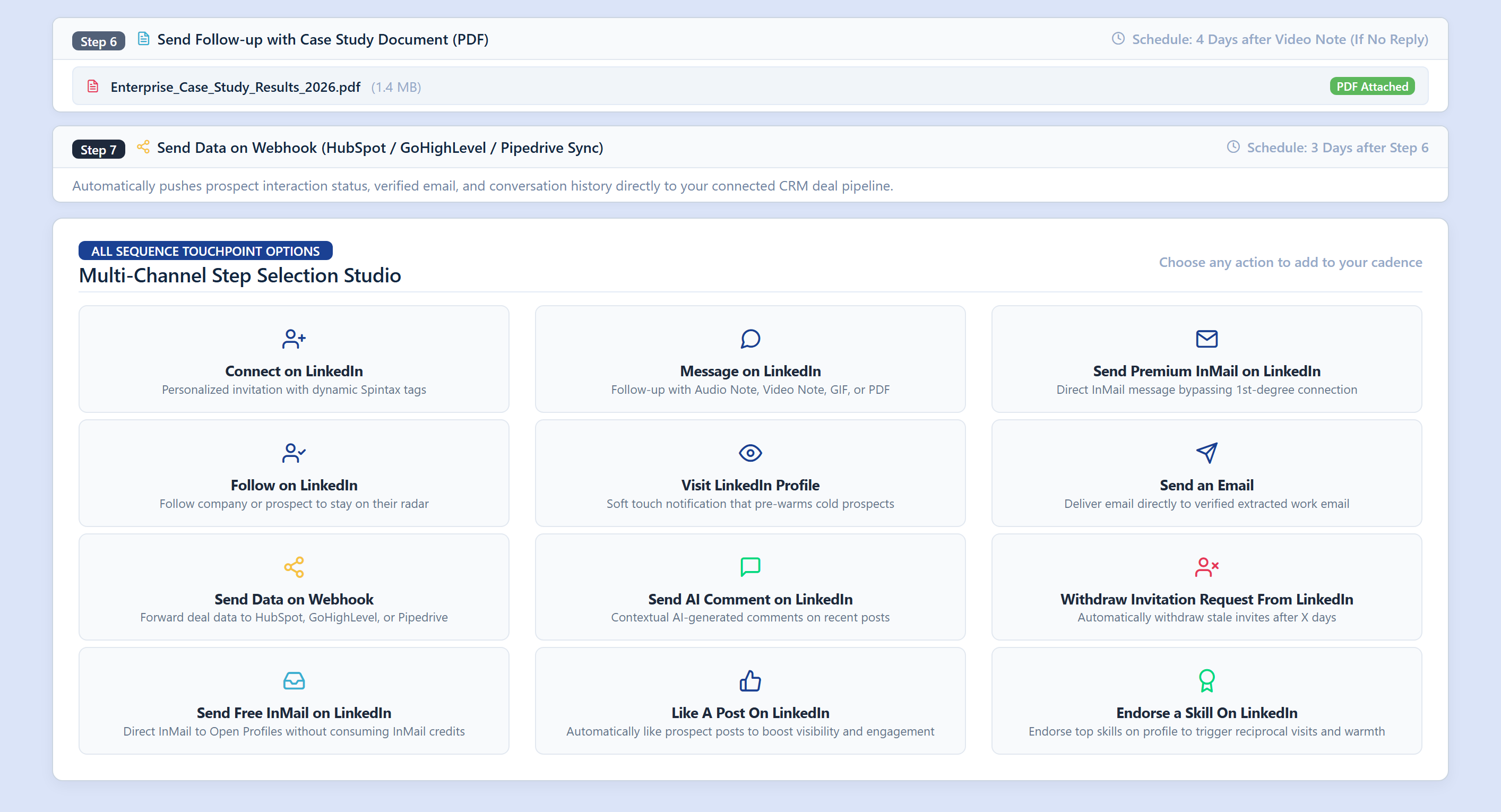
Figure 2: LinkedLite Multi-Channel Step Selection Studio—featuring all 12 native sequence touchpoints arranged in a standardized 4x3 studio grid.
2. The Complete 12 Sequence Steps in LinkedLite
Inside LinkedLite's Campaign Builder (type=MULTI_CHANNEL), you have direct access to 12 specialized step types. Each step is designed to achieve a specific tactical objective across the prospect journey:
| Sequence Step | Channel Category | What It Does & How It Works | Strategic Role |
|---|---|---|---|
| Visit LinkedIn Profile | Social Warmup | Visits the target profile simulating authentic browsing, generating a high-visibility "Viewed your profile" mobile and email alert. | Initial Soft Touch (Day 1) |
| Like A Post On LinkedIn | Social Warmup | Automatically likes the prospect's most recent post or article, placing your name and face directly into their notifications stream. | Engagement Signal (Day 1–2) |
| Send AI Comment | Social Warmup | Uses OpenAI or Groq to analyze recent prospect posts and post thoughtful, context-aware comments that spark public rapport. | Credibility Builder (Day 2) |
| Follow on LinkedIn | Social Warmup | Follows the prospect's profile or company page, keeping their real-time content in your feed and registering another brand touch. | Passive Radar (Day 2–3) |
| Endorse a Skill | Social Warmup | Endorses 1 to 3 top featured skills on their profile, triggering a high-gratitude notification that prompts reciprocal profile visits. | Reciprocity Trigger (Day 3) |
| Connect on LinkedIn | Direct Outreach | Delivers personalized invitation notes using dynamic Spintax tags ({FIRSTNAME | fallback:"there"}) and custom variables. |
Network Expansion (Day 3–4) |
| Message on LinkedIn | Direct Outreach | Direct 1-on-1 messaging to 1st-degree connections. Attachments are 100% optional: choose clean text, recorded Audio Voice Notes, webcam/screen Video Notes, GIFs, or case study PDFs. | Core Conversion (Post-Accept) |
| Send Free InMail | Direct Outreach | Sends direct InMails to prospects with "Open Profile" enabled without consuming paid monthly InMail credits—bypassing weekly invite limits! | High-Volume Scale (Any Day) |
| Send Premium InMail | Direct Outreach | Reaches high-value 2nd and 3rd degree decision-makers directly in their primary inbox, bypassing connection requirements. | Tier-1 Accounts (Hard Touch) |
| Send an Email | Omnichannel | Delivers personalized emails directly to verified corporate business email addresses extracted from their LinkedIn profile. | Cross-Channel Sync (Day 6–8) |
| Send Data on Webhook | CRM Automation | Pushes lead details, verified email, conversation history, and deal stage updates directly into HubSpot, GoHighLevel, or Pipedrive. | Pipeline Sync (On Reply / End) |
| Withdraw Request | Safety Safeguard | Automatically withdraws pending invitations after X days (e.g. 14–21 days) to keep pending counts low and avoid account limits. | Account Health (Day 14–21) |
3. Three Battle-Tested Multi-Channel Cadence Blueprints
How do top B2B revenue teams assemble these 12 steps into high-converting cadences? Here are three proven blueprints you can deploy immediately:
Blueprint 1: The 14-Day Enterprise Omnichannel Cadence
Best for Mid-Market & Enterprise DealsDesigned for high-ticket SaaS, consulting, and enterprise sales where relationship trust and multi-threading are essential.
- Day 1: Visit Profile + Like A Post Soft warmup triggers notifications; zero sales pressure.
- Day 2: Send AI Comment on their latest post Establishes public credibility and subject matter relevance.
- Day 3: Endorse a Skill on profile Triggers reciprocity notification; prospect checks who endorsed them.
- Day 4: Connect on LinkedIn with Spintax note Invite acceptance rates jump to 54%–62% due to prior familiarity.
- Day 5: Message on LinkedIn (1st-degree Welcome) Delivers a warm introduction with optional quick voice note greeting.
- Day 8: Send an Email to verified corporate address Cross-channel touch: "Shared a quick note with you on LinkedIn..."
- Day 11: Message on LinkedIn (Case Study PDF or Video Teaser) Shares proven empirical proof points or a brief solution audit.
- Day 14: Send Data on Webhook to HubSpot/Pipedrive Pushes engaged leads directly into SDR live calling queues.
- Day 21: Withdraw Invitation Request (if unaccepted) Maintains a clean pending invitation ratio to protect account safety.
Blueprint 2: "Open Profile" High-Velocity Cadence
Target prospects who have LinkedIn Open Profile enabled. Reach decision-makers immediately without spending InMail credits or waiting for invites to be accepted.
- Day 1: Visit LinkedIn Profile + Follow on LinkedIn.
- Day 2: Send Free InMail with personalized pitch and zero credit burn.
- Day 5: Send an Email to verified work email address.
- Day 8: Connect on LinkedIn as a follow-up touchpoint.
- Day 12: Send Data on Webhook to update CRM deal stages.
Blueprint 3: The Consultative Warmup Cadence
Focuses on building authority and genuine rapport before making any direct pitch or proposition.
- Day 1: Visit LinkedIn Profile.
- Day 2: Like A Post On LinkedIn.
- Day 3: Send AI Comment on their latest thought-leadership post.
- Day 4: Endorse top featured skills on their profile.
- Day 5: Connect on LinkedIn referencing their post topic.
- Day 7: 1-on-1 Message sharing a relevant benchmark report or PDF.
4. Scheduling Pacing, Delay Units & Smart Auto-Pause
Timing and safety controls are what separate enterprise prospecting systems from spam bots. LinkedLite provides granular scheduling options:
- Customizable Delay Units: Configure pauses between steps in Days, Hours, or Minutes (e.g., "Wait 2 Days after profile visit" or "Wait 3 Hours after invite acceptance").
- Business Hours Enforcement: Sequences only dispatch during your configured working hours (e.g. 9:00 AM – 6:00 PM in the prospect's local timezone).
- Humanized Micro-Delays: Randomized delays of 90 to 240 seconds are applied between consecutive browser interactions, perfectly mimicking organic human browsing.
- Smart Reply Auto-Pause: If a prospect replies to any message, email, or InMail across the entire campaign, LinkedLite's real-time webhook immediately halts all subsequent automated steps for that contact so your sales reps can take over the conversation seamlessly.
5. Seamless CRM Integration: HubSpot, GoHighLevel & Pipedrive
Multi-channel prospecting is only as good as your downstream pipeline visibility. LinkedLite's Send Data on Webhook step ensures your team stays perfectly aligned:
HubSpot CRM
Logs prospect touchpoints, verified emails, and conversation status directly onto the HubSpot contact timeline.
GoHighLevel (GHL)
Creates opportunities, updates pipeline stages, and triggers automated SMS/email nurture sequences when leads respond.
Pipedrive
Auto-creates deals in the "LinkedIn Qualified" pipeline stage and assigns follow-up tasks to assigned account executives.
6. Multi-Channel Campaign Launch Checklist
7-Step Multi-Channel Launch Blueprint:
- Define Prospect List: Import your ideal customer profile (ICP) from LinkedIn Sales Navigator or a CSV file.
- Select Campaign Type: In the campaign wizard, choose Multi-Channel Campaign (
MULTI_CHANNEL). - Add Social Warmup Steps: Start with Visit LinkedIn Profile, Like A Post, and Send AI Comment.
- Configure Connection & InMail: Add Connect on LinkedIn with dynamic Spintax tags, or use Free InMail for Open Profiles.
- Add Follow-ups & Email: Schedule 1st-degree Message steps (with optional voice/video/PDF notes) followed by an Email touchpoint.
- Connect Webhook Pipeline: Add Send Data on Webhook to push deal stages to your CRM.
- Enable Auto-Withdrawal: Add Withdraw Invitation Request set to 14–21 days to keep your account 100% compliant and healthy!
Ready to Put This LinkedIn Strategy on Autopilot?
Automate outreach, personalize with Spintax, and sync directly to your CRM with LinkedLite.