How to Send & Schedule Audio and Video Notes in LinkedIn Multi-Channel Campaigns
Cold LinkedIn messaging has changed forever. Generic text-only copy-paste templates are hitting record-low 8%–15% response rates. Learn how top-performing B2B sales teams use LinkedLite's native in-browser voice and video note engine to schedule personalized audio and webcam video messages inside automated multi-channel sequences—skyrocketing reply rates past 48%–62%.
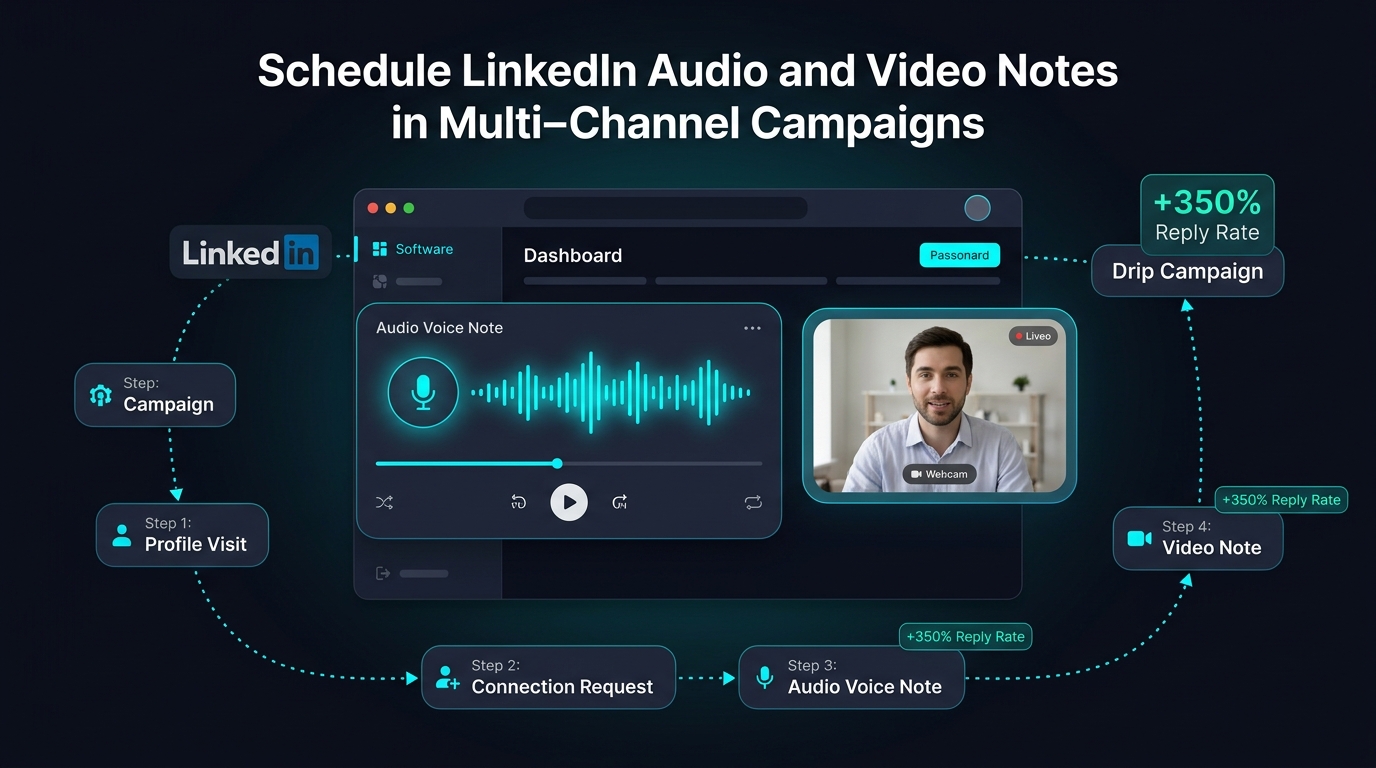
Figure 1: Orchestrating automated LinkedIn Multi-Channel sequences with native Audio Voice Notes and Video Notes in LinkedLite.
Audio & video notes cut through spam filters and trigger immediate human reciprocity.
Mobile LinkedIn users tap voice waveforms and video previews within 3 minutes of delivery.
Record in-browser, save to Media Library, and schedule in automated multi-channel cadences.
1. The Cold Outreach Crisis: Why Text DMs Are Dying
If you've been doing outbound prospecting on LinkedIn over the past twelve months, you have undoubtedly noticed a painful trend: connection acceptance rates and message replies are plummeting.
Prospects—especially C-level executives, VP of Engineering, founders, and sales directors—receive between 15 to 40 unsolicited InMails and cold messages every single business day. Nearly all of these follow the identical AI-generated cookie-cutter pattern:
- "Hey {{FirstName}}, noticed you are the {{Title}} at {{Company}}! We help companies like yours scale revenue..."
- "Quick question: are you currently taking on new clients this quarter?"
The result? B2B decision-makers have developed aggressive "inbox blindness." Even well-crafted value propositions are instantly dismissed because they look like automated bulk spam.
To break through this wall of noise, high-growth sales teams, agency owners, and recruiters are turning to multimodal messaging: delivering authentic Voice Notes and short Webcam Video Notes directly into the prospect's LinkedIn direct message thread.
2. The Psychology: Why Audio & Video Notes Convert at 48%+
Voice and video messages on LinkedIn leverage psychological triggers that plain text can never replicate:
- Micro-Expressions & Tonality: Over 70% of human communication is conveyed through vocal inflection, pacing, warmth, and visual cues. A 35-second voice note carries authentic enthusiasm and sincerity that completely disarms defensive prospects.
- Immediate Proof of Effort: Prospects know that an automated spam bot cannot fake their name and voice on the fly. When they see a voice waveform or video preview, their brain instantly registers: "A real human took time out of their day specifically to speak to me."
- Mobile Curiosity & Gamification: Over 68% of LinkedIn traffic occurs on mobile devices. When a voice note arrives in the LinkedIn mobile app, it appears with a prominent interactive cyan waveform and a circular play button. It is virtually irresistible to tap!
- Zero Competitor Noise: Less than 2% of SDRs and founders send voice or video notes because manual recording is slow. By scheduling them through LinkedLite, you gain an unfair competitive advantage.
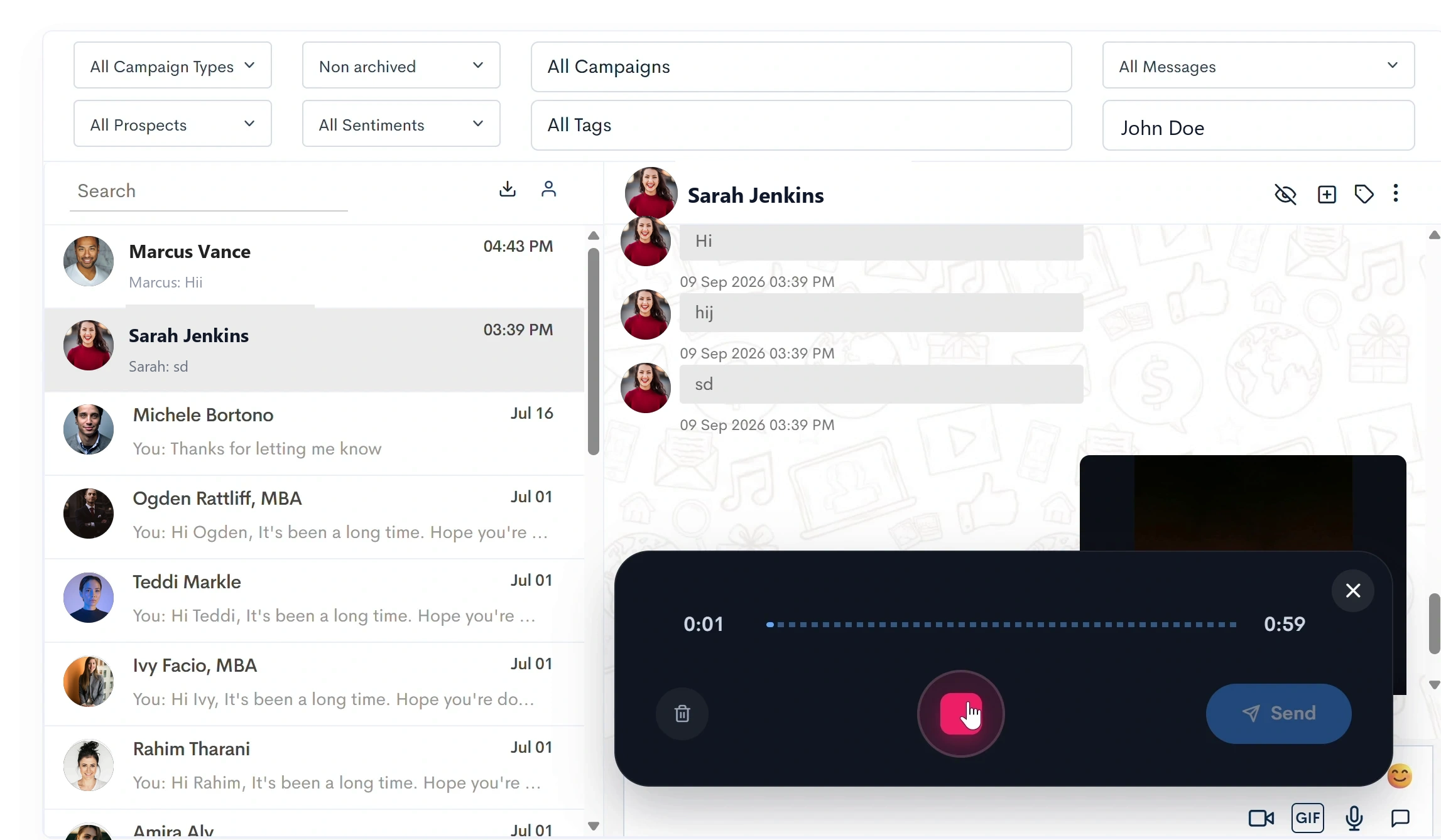
Figure 2: LinkedLite's built-in browser audio recording engine with real-time waveform level meter and 2-minute timer.
3. The Big Problem with Legacy Automation Tools
If voice notes and video messages are so effective, why isn't everyone automating them?
The reason is that legacy LinkedIn automation tools (Expandi, Waalaxy, Dux-Soup, Octopus CRM, MeetAlfred) do not support native browser-recorded audio or video attachments in automated sequence steps.
With legacy tools, you are forced to:
- Paste external video links (like Loom or YouTube), which LinkedIn's algorithm deprioritizes and prospects rarely click; OR
- Pick up your physical mobile phone every single morning, search for 30 individual prospects one by one, hold your thumb on the microphone button, and manually record voice notes for hours.
LinkedLite solved this bottleneck completely. LinkedLite built a cloud-native Media Engine that lets you record voice and webcam notes directly from your browser, upload pre-recorded audio/video files, save winning assets to your centralized Media Library, and attach them to any step of your Multi-Channel Campaigns.
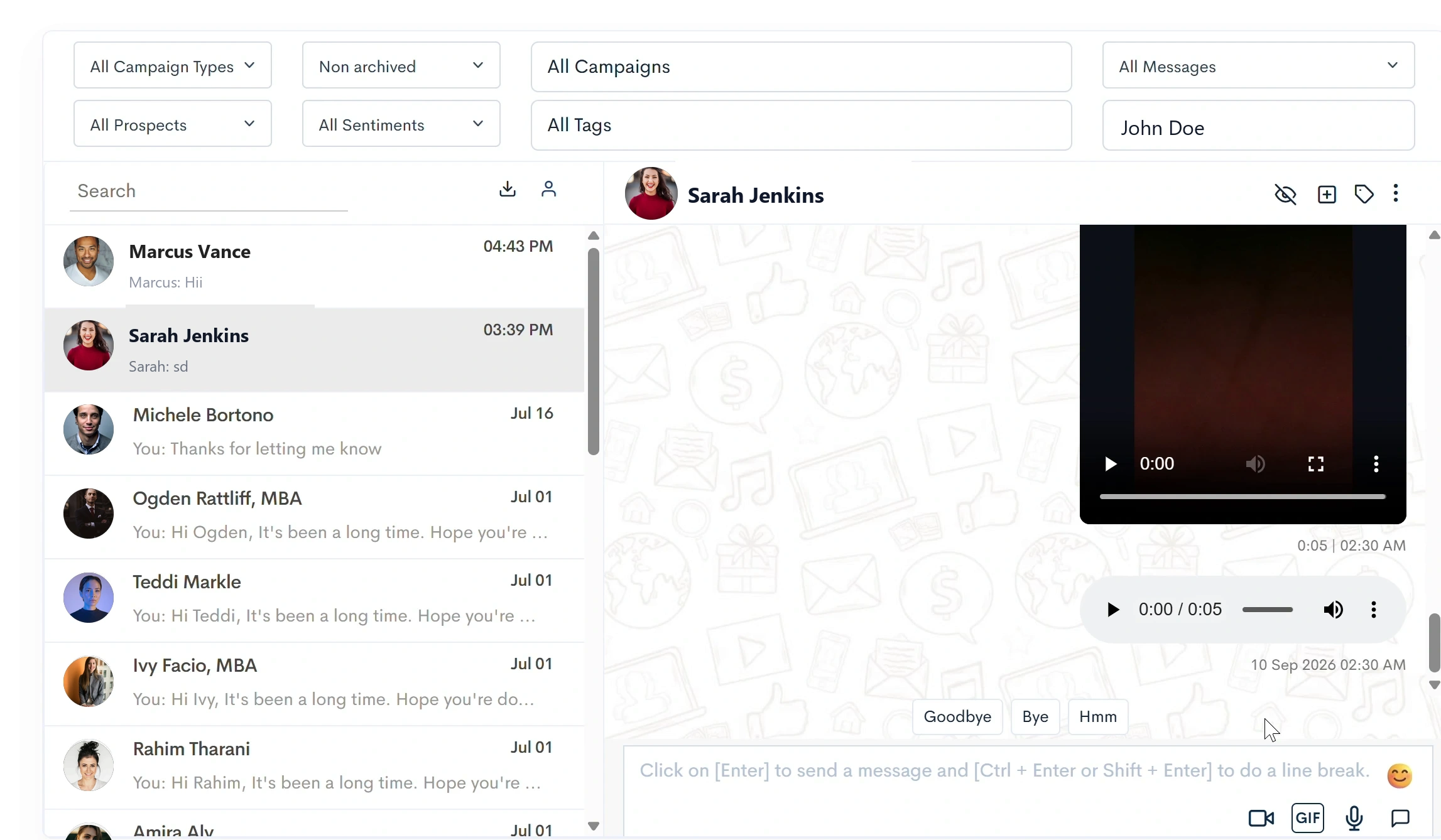
Figure 3: Delivered Audio Note inside the LinkedIn conversation thread—featuring native playback and waveform.
4. Step-by-Step Guide: How to Schedule Audio & Video Notes in LinkedLite
Follow this step-by-step workflow to configure your first automated Multi-Channel voice and video campaign in LinkedLite:
Step 1: Create a Multi-Channel Campaign
Log in to your LinkedLite dashboard and navigate to Campaigns → Create Campaign. In the Campaign Wizard, select Multi-Channel Campaign (MULTI_CHANNEL). This campaign type unlocks full sequential branching, allowing you to blend profile visits, invitations, messages, voice notes, video notes, GIFs, documents, and webhooks.
Step 2: Import Your Target Audience
Import your target leads using any of LinkedLite's high-speed prospecting methods:
- LinkedIn Sales Navigator URL: Paste any filtered search URL (Job title, geography, company headcount, seniority).
- Post Engagement Leads: Scrape everyone who liked or commented on a trending industry post.
- LinkedIn Group or Event Members: Prospect high-intent participants in niche professional events.
- CSV List Import: Upload an enriched CSV file with verified LinkedIn profile URLs.
Step 3: Build the Multi-Step Drip Sequence
In the Sequence Builder, structure your touchpoints chronologically:
- Step 1: Visit LinkedIn Profile (Warm touch, notifies prospect).
- Step 2 (Delay 1 Day): Send Connection Request with personalized note.
- Step 3 (Delay 1 Day after Acceptance): Send Personalized Welcome Audio Note.
- Step 4 (Delay 3 Days if No Reply): Send Follow-up Video Note demonstrating key insight.
- Step 5 (Delay 4 Days if No Reply): Send Case Study Document (PDF) or trigger CRM Webhook.

Figure 4: Video Note recording modal—toggle between Portrait (9:16 mobile-optimized) and Landscape (16:9), and select your external mic & HD webcam.
Step 4: Record or Attach Your Audio Note
On any message step in the sequence, click the Audio Note button to open the Audio Note Studio. You have three flexible options:
- Record Voice (In-Browser): Click the microphone icon to record your voice directly from your browser. LinkedLite provides a live audio level meter and a 2-minute timer. Preview your recording, re-record if needed, and confirm attachment.
- Upload Audio File: Upload any high-fidelity pre-recorded audio file (MP3, WAV, M4A, WEBM, OGG, AAC up to 10MB).
- From Media Library: Choose from your saved library of evergreen audio pitches, welcome notes, or webinar invites.
Step 5: Record or Attach Your Video Note
Click the Video Note button to launch the Video Recording Studio:
- Select Aspect Ratio: Choose between Portrait (9:16) for a smartphone-style selfie video (ideal for mobile prospects) or Landscape (16:9) for traditional desktop video.
- Hardware Device Selector: Pick your preferred HD webcam (or external DSLR via Cam Link) and studio USB microphone.
- Live Recording with REC Badge: Click the red Record button. Deliver your 45-to-60 second personalized pitch. LinkedLite encodes the video directly into LinkedIn-compatible MP4/WebM format.
- Upload or Video Library: Alternatively, upload an edited MP4/MOV file (up to 20MB) or select a pre-recorded video note from your library.
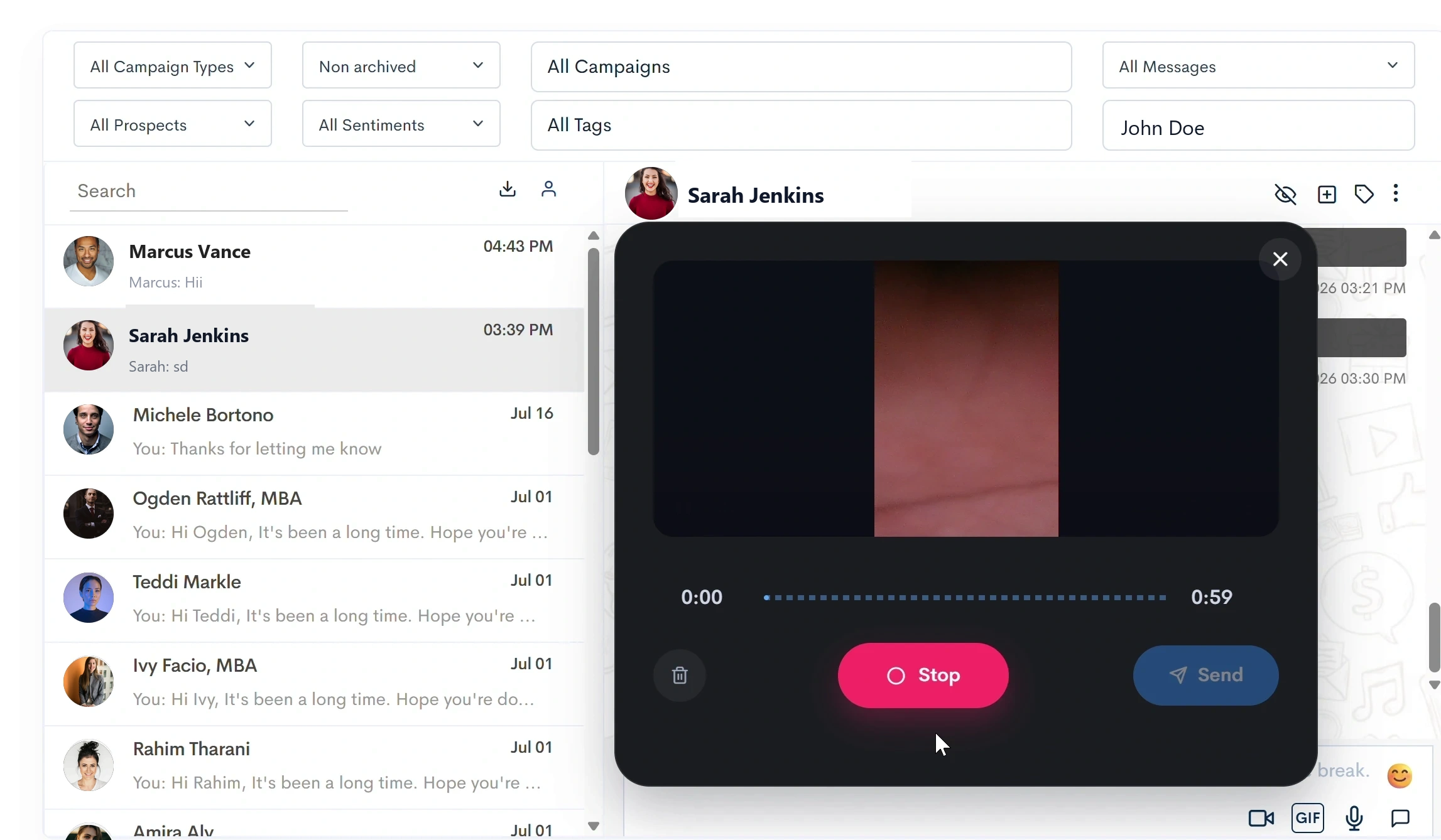
Figure 5: Live in-browser webcam recording with instant preview and re-record controls.
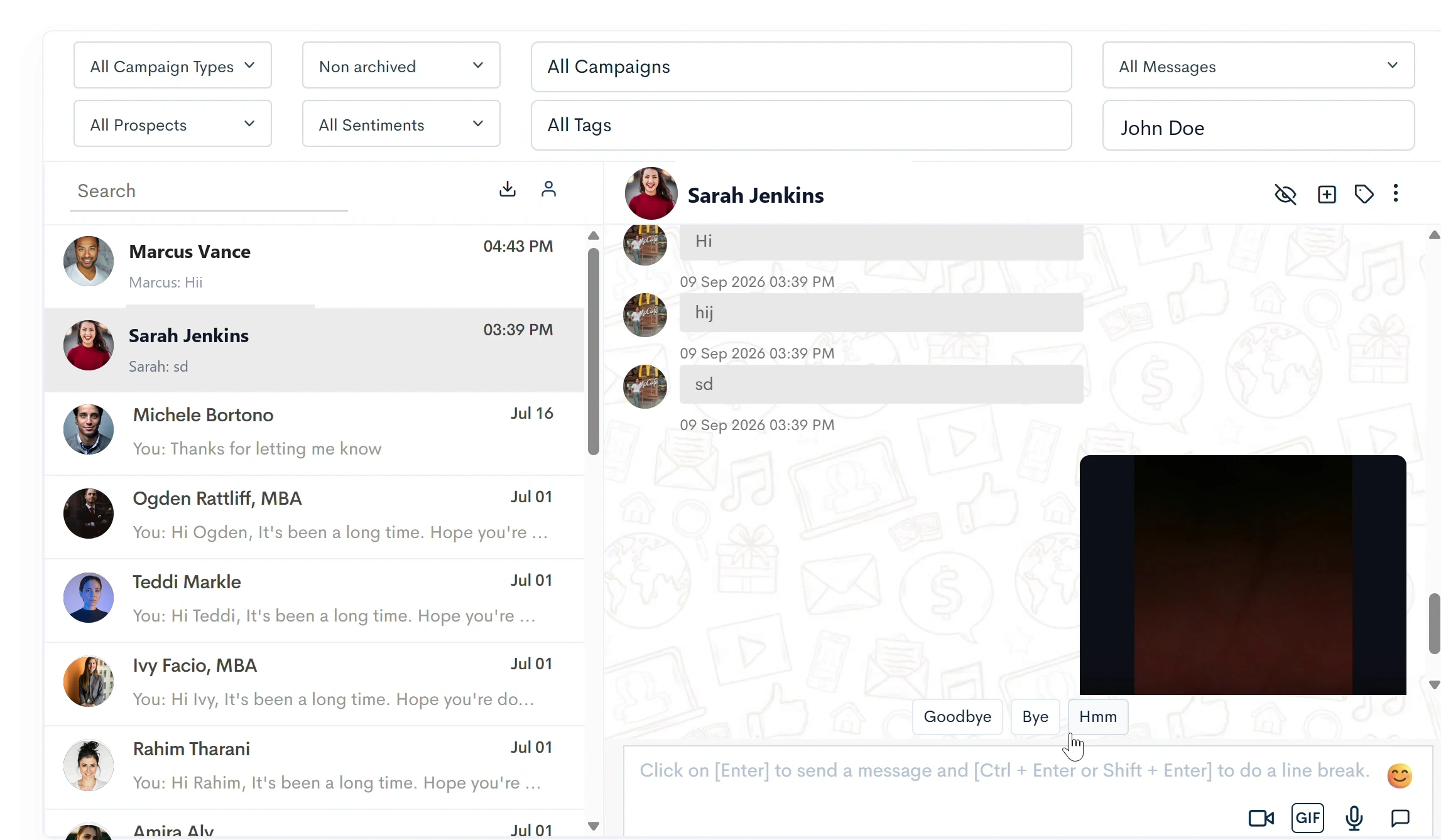
Figure 6: Delivered Video Note in LinkedIn DM thread—prospects can play the video directly inside LinkedIn with full audio and controls.
5. 5 Proven Audio & Video Scripts That Book 40%+ Meetings
Having the technology is only half the battle; your script must be conversational, respectful, and concise. Here are 5 battle-tested frameworks you can adapt right away:
🎧 Script 1: The "Warm Welcome & Mutual Thread" (Audio Note: 30s)
Send 1 day after the connection request is accepted.
Result: 62% reply rate with friendly responses like "Hey, loved the voice note! Great to connect."
🎥 Script 2: The "30-Second Micro-Audit & Value Tease" (Video Note: 45s)
Send as Step 4 follow-up if no reply to text or audio.
Result: 44% conversion into booked calls or requested audit documents.
🎙️ Script 3: The "Podcast / Expert Interview Invitation" (Audio Note: 40s)
Perfect for founders, executive branding, and high-ticket B2B sales.
Result: 55% acceptance rate; converts into high-value B2B relationships.
🚀 Script 4: The "Case Study & Social Proof Highlight" (Video Note: 40s)
Ideal for agency owners and SaaS sales leaders.
Result: Uses negative framing ("Would you be opposed to...") which decreases friction and triggers 38% affirmative responses.
👋 Script 5: The "Polite 9-Word Breakup Note" (Audio Note: 20s)
Send as the final sequence step before closing the cadence.
Result: Often generates 20%–28% "guilt replies" where prospects apologize for being busy and ask for a link to book a call.
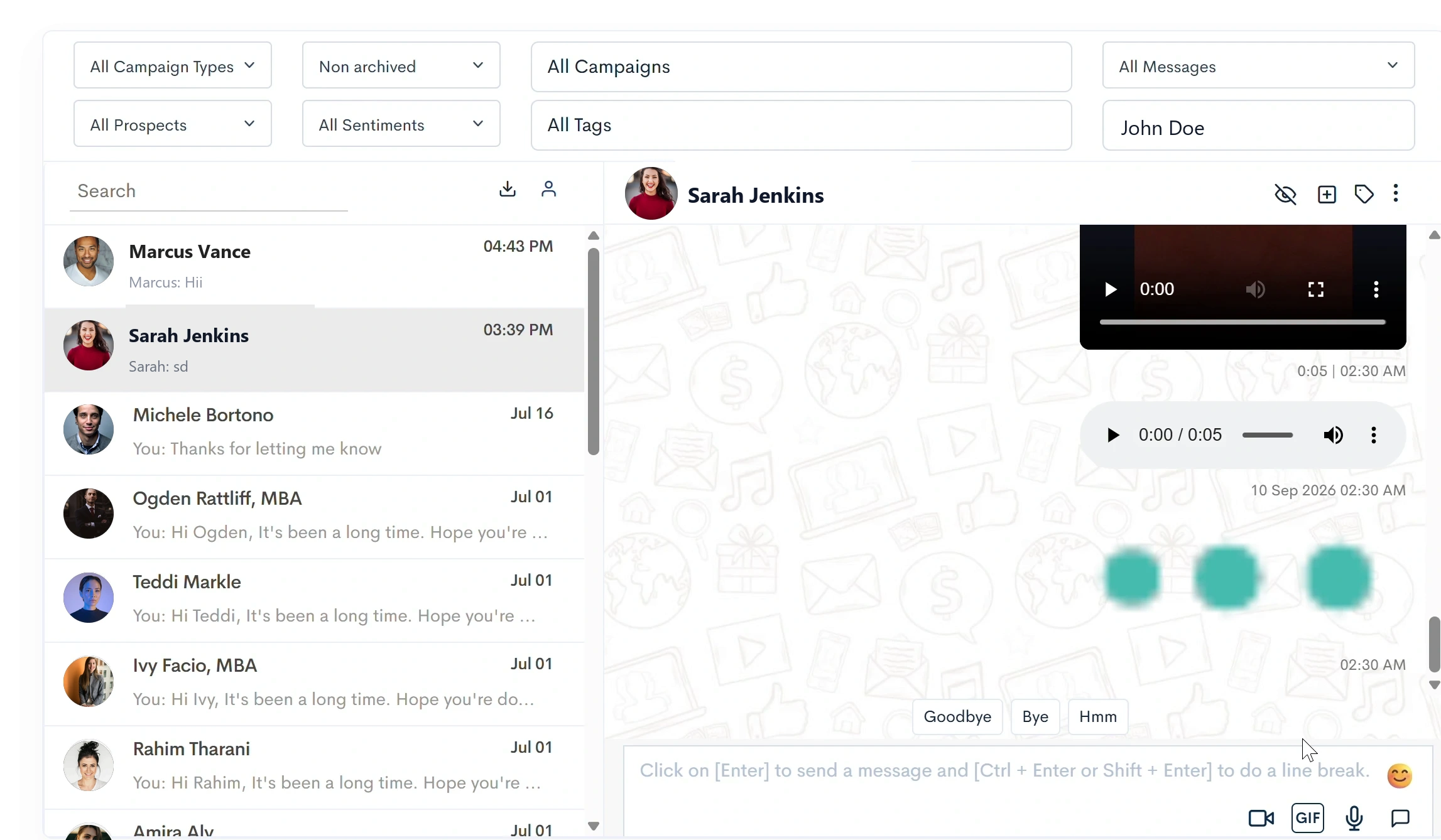
Figure 7: Full suite of sequence attachments in LinkedLite: Audio Notes, Video Notes, GIFs, Images, and Documents.
6. Managing Replies in LinkedLite's Unified Smart Inbox
One of the biggest risks with multi-step drip automation is the "awkward double-message"—where a prospect replies saying "Sure, let's talk Tuesday!", but an automated follow-up bot continues sending scheduled messages.
LinkedLite completely prevents this:
- Instant Sequence Pause: The moment a prospect sends a reply to any step in your campaign, LinkedLite's real-time webhook detects the interaction and immediately freezes that prospect's automated sequence.
-
Unified Smart Inbox: All conversations across your connected LinkedIn accounts sync into LinkedLite's central inbox (
/responses). - On-the-Fly Audio & Video Replies: You don't even have to open LinkedIn. Inside LinkedLite's Smart Inbox, you can click the mic or camera icon to record a personalized voice or video reply directly back to the prospect with one click.
7. Safety Rules & Daily Sending Limits for 2026
LinkedIn's AI algorithms monitor unusual activity patterns closely. To ensure your LinkedIn accounts remain 100% safe, follow LinkedLite's recommended safety boundaries:
| Outreach Action | Safe Daily Limit (Free LinkedIn) | Safe Daily Limit (Sales Navigator) | LinkedLite Humanized Delay |
|---|---|---|---|
| Connection Requests | 15 – 25 / day | 30 – 45 / day | 60 – 180s randomized delay |
| Audio Voice Notes | 15 – 25 / day | 30 – 40 / day | Natural randomized intervals |
| Video Notes | 10 – 15 / day | 20 – 30 / day | Realistic upload pacing |
| Profile Visits & Endorsements | 40 – 60 / day | 80 – 120 / day | Smooth background queue |
| CRM Webhook Sync | Unlimited | Unlimited | Instant webhook trigger |
8. Feature Comparison: LinkedLite vs. Legacy Automation Tools
| Capability | LinkedLite | Expandi | Waalaxy | MeetAlfred |
|---|---|---|---|---|
| In-Browser Audio Note Recording | ✅ Yes (Native) | ❌ No | ❌ No | ❌ No |
| Webcam Video Note Recording (9:16 & 16:9) | ✅ Yes (Native) | ❌ No | ❌ No | ❌ No |
| Schedule Audio/Video in Multi-Channel Drips | ✅ Yes (Full Support) | ❌ No | ❌ No | ❌ No |
| Centralized Media Library | ✅ Built-in | ❌ No | ❌ No | ❌ No |
| Native InMail & Premium InMail Drips | ✅ Included | ✅ Yes | ⚠️ Limited | ✅ Yes |
| Live Screen & Webcam Video Note Recorder | ✅ Built-in | ❌ No | ❌ No | ❌ No |
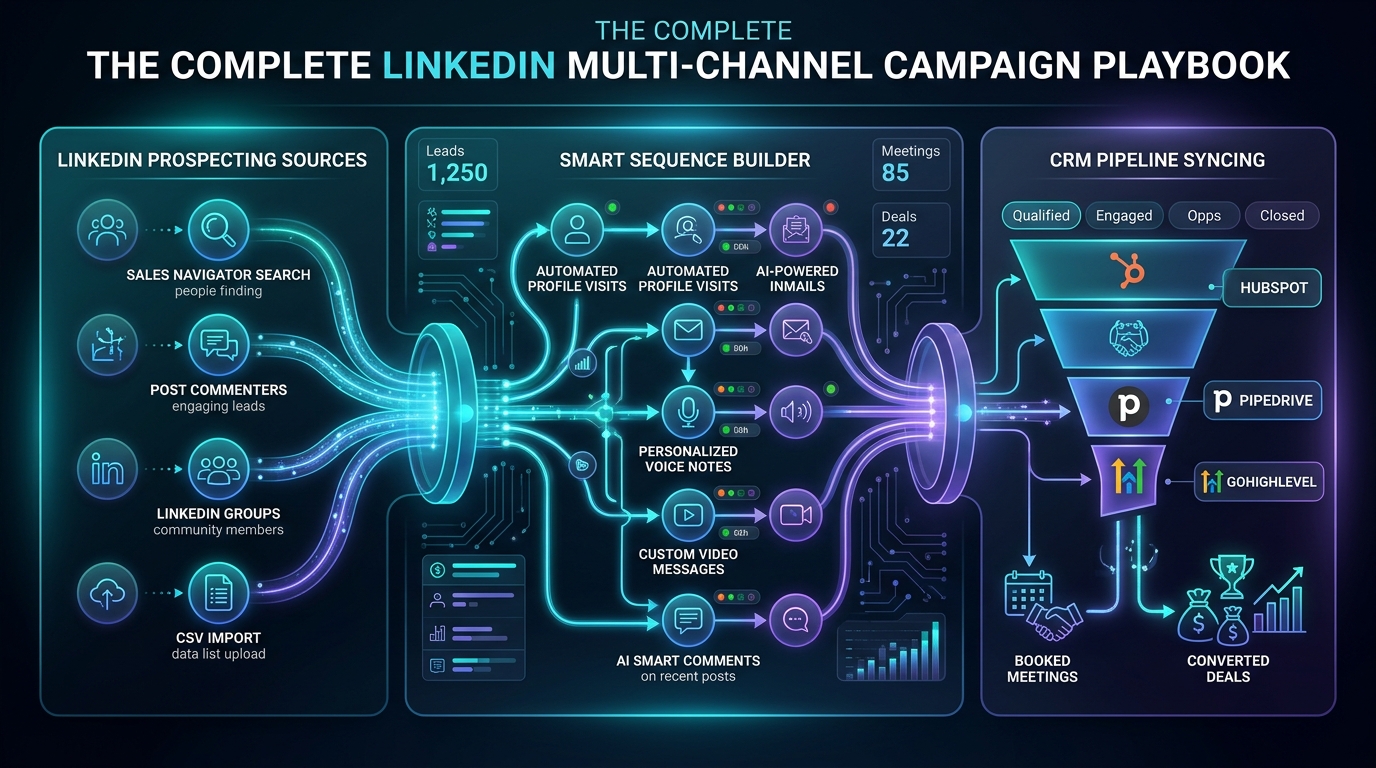
| Native CRM Sync (HubSpot, GoHighLevel, Pipedrive) | ✅ 2-Way Built-in | ⚠️ Webhook Only | ⚠️ Webhook Only | ⚠️ Webhook Only |
9. Frequently Asked Questions (FAQ)
Can I record different audio and video notes for different campaigns?
Yes! You can record custom audio notes tailored to specific niches (e.g., one audio pitch for FinTech founders, another for Healthcare HR leaders). Everything is saved neatly in your Media Library, allowing you to attach different audio or video assets to any campaign step with one click.
Does the prospect need any special software or plugin to listen or watch?
No! LinkedLite encodes audio and video notes directly into native LinkedIn media formats. The prospect sees a native playable audio waveform or video player right inside their official LinkedIn desktop browser or iOS / Android LinkedIn mobile app. They don't need to click external links.
What are the maximum duration and file size limits?
For Audio Notes, the maximum recording duration is 2 minutes (MP3, WAV, M4A, WEBM, OGG, AAC up to 10MB). For Video Notes, you can record or upload video files up to 20MB (MP4, WEBM, MOV). Best practice is keeping audio notes between 30–45 seconds and video notes between 45–75 seconds for optimal engagement.
What happens when a prospect replies to my voice or video note?
LinkedLite's intelligent reply detection immediately detects the incoming message and automatically pauses all future automated sequence steps for that prospect. The conversation is pushed straight to your LinkedLite Unified Inbox and can trigger a webhook into your CRM (HubSpot, GoHighLevel, or Pipedrive) to notify your sales reps in real time.
10. Conclusion: Start Standing Out in the LinkedIn Inbox Today
In a world flooded with generic AI text generators, human authenticity is the highest-leverage sales asset you possess.
By scheduling personalized audio and video notes through LinkedLite's Multi-Channel Campaigns, you combine the scale and reliability of automated cloud sequences with the genuine emotional connection of face-to-face selling.
Ready to Put This LinkedIn Strategy on Autopilot?
Automate outreach, personalize with Spintax, and sync directly to your CRM with LinkedLite.