
How to activate a campaign?
Activate campaign | Start campaign | Begin campaign | Create campaign
Step-by-Step Guide to Start a Campaign:
- Navigate to the Campaign Section:
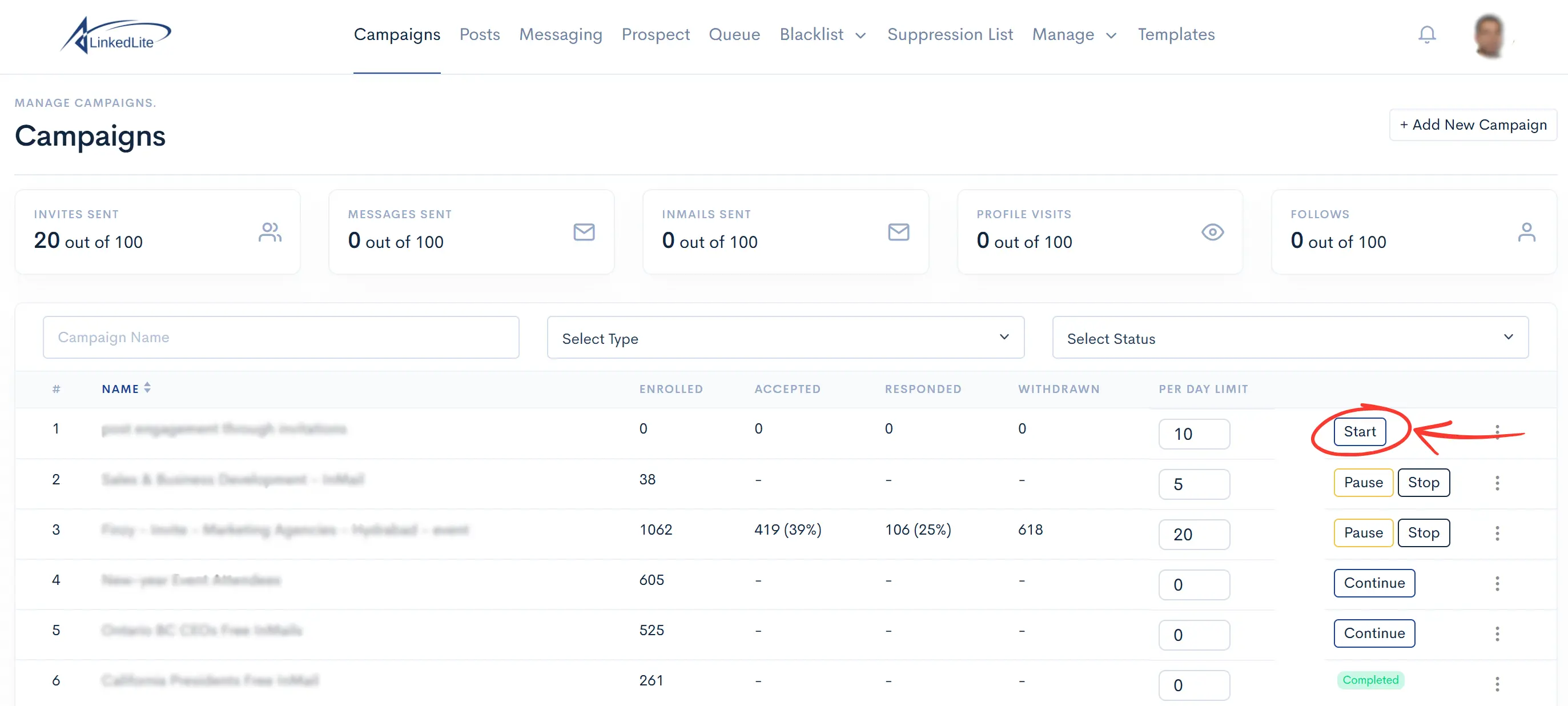
Go to the Campaigns section where you can view all available campaigns. - Select and Start the Campaign:
Choose the campaign you want to start and click on the Start button next to it. This will initiate the campaign and set it live. - Monitor the Campaign:
After starting the campaign, keep an eye on its progress and performance to ensure everything is running smoothly.
Ready to Put This LinkedIn Strategy on Autopilot?
Automate outreach, personalize with Spintax, and sync directly to your CRM with LinkedLite.